
Addition to 10 Cover Up! Cards
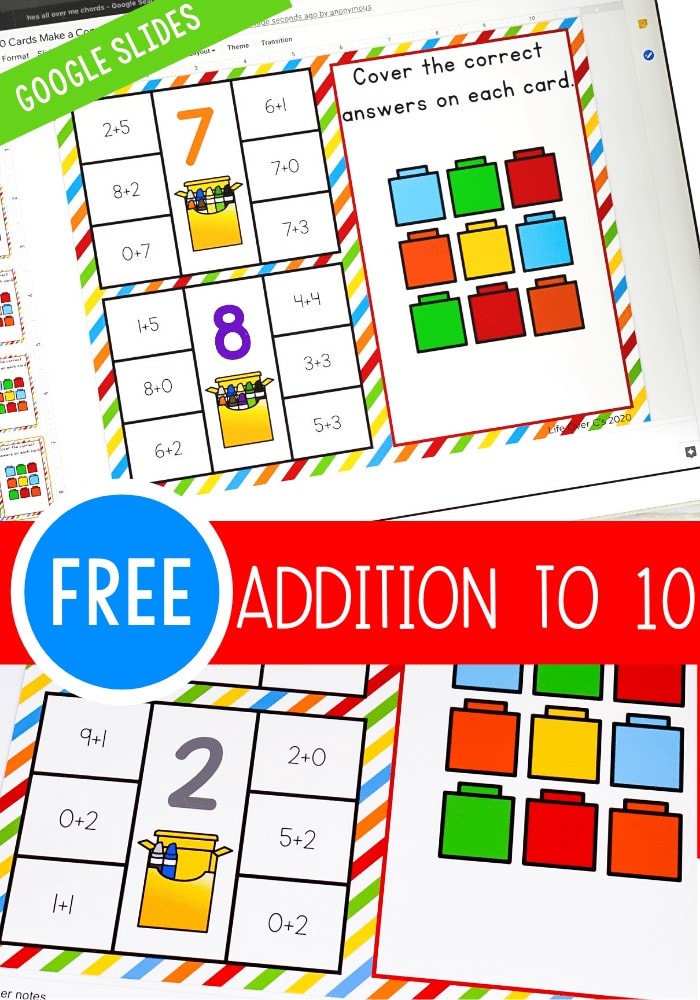
Using technology to learn math skills is something your kindergarteners are going to love to do! Practicing addition to 10 with this simple Google Slides activity is perfect for at-home-learning or with iPads in your classroom! Kids will be begging to practice their addition facts.
Recommended Grade Level:


Using Google Slides for Learning
Using Google Slides for education is super easy. Seriously, I learned how in a matter of minutes.
So, even if you’ve never used Google Slides before, you can start using them with your kids today.
How to Get the Activity
- Enter your email below and then check your inbox to get the activity.
- When you open the file you can click on the format that you prefer to use: Google Slides®, Seesaw® or upgrade to self-checking Boom Cards®.
- If you are downloading the Google Slides version you will be prompted to “Make a copy”. This is an important step you need to complete to make sure you get an editable version to share with your students!
- In Slides, make sure you are in “Edit” mode, as opposed to “Present” mode. You will see the “Present” button in the upper right-hand corner.
- In Slides, just click on the symbol box to highlight it in blue and drag it when the cursor resembles a plus sign with an arrow on each end.
- If you choose the Seesaw version, click the Seesaw image to instantly add it to your Seesaw library.
- Use the Text tool (click on the large T) to be able to highlight each symbol to move it.
- To upgrade to self-checking Boom Cards®, click on the image in the download PDF to purchase the deck to use with your students.
- Or check out the Apple Counting Self-Checking Boom Cards® here!
- Finally, if you choose self-correcting Boom Cards, remember you must be connected to the Internet in order for the cards to work.
The kids can open the file and start using the activity right away. It will open in ‘edit’ format and should stay that way. If the ‘present’ button is accidentally clicked, the file will not be interactive and must be switched back to ‘edit’ mode.
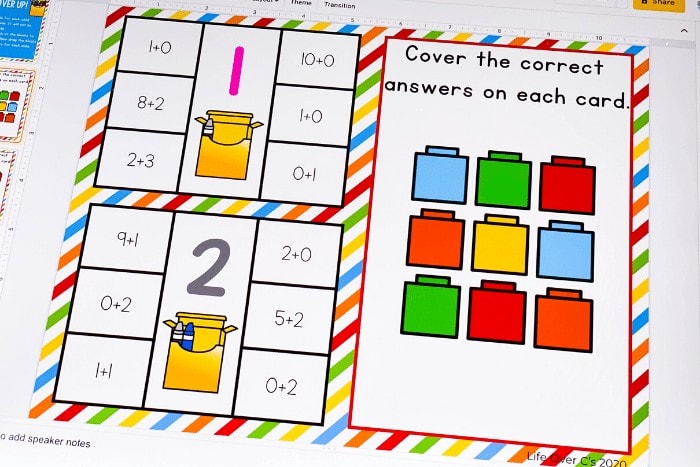
To use the Addition to 10 activity, the kids will identify the addition problems that match the sum on each card and cover the addition problems with the blocks provided on each screen.
Engaging addition activities make learning addition so much fun!
And perfect for teachers who have found themselves in need of activities that don’t require printing.
Beginning Addition Activities for Kindergarten
This Addition to 10 activity for kindergarten is great way to review addition facts with your students!
Simply drag the blocks on top of the correct sum for each card.
More Addition Activities for Kindergarten
- Apple Tree Addition Activity
- Mini Eraser “Fill the Jar” Addition Game
- 20+ Addition Printables and Activities

Join the I Teach Too Newsletter and Get Your Activity



A special thank you for explaining how to use the Google slides- I’m a dinosaur!!
You’re welcome! I’m new to them as well, so we can learn together!
Thank you
I would love to have copies of your google slides activities please!
Simply enter your e-mail where it says “Get your activity here” and it will be sent directly to your e-mail.
Love these activities.
Please, I would like to get them and try them out with my son
Simply click on the pictures to see the activities. Then enter your e-mail where it says “Get your printable here” and the activities will be sent directly to your e-mail. 🙂
Thank u so much for google slides
Thank you for sharing.
Thank you so much
Great resource!
When I download the google slides they are not opening in Edit Mode. In the upper right hand corner next to the share button it says PRESENT and has no other options. Any ideas on what went wrong?
When the activity is initially opened in the web browser it is showing you a preview of the activity and you will not be able to interact with it yet. If you close out your web browser and go to the Google Slides website, or open the Google Slides app on your iPad you will be able to access the activity that way and it will open in “edit” mode. For some visuals and more detailed instructions check out our Google Slides Tutorials found on our Digital Resources page!
Thanks so much. My country has just gone on lock down and we have 2 weeks to set up our class online. this is a huge help
I am so excited about this activity. I can’t wait to hear my Grade 1’s reactions. I am very new at all of this ,but because of the lockdown in South Africa, I have had no choice but to learn new skills at top speed. Thank you, Kim!
It’s not just your great activities I am appreciating it is the way you explain the importance of each skill in such an easy to understand way that i can share with parents to help them understand why’ we’ are doing this. Thank you
You made my work easy and interesting. Thank you 😊
This is such a great idea!